Game Introduction
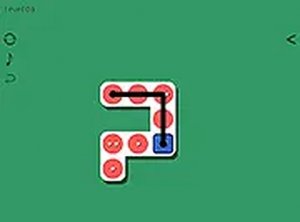
Dot.Ed Math Puzzle is a brain-training game that combines math practice with dot-connecting puzzles. Each tile displays a number, and your goal is to connect the correct number of dots to match it. The concept is simple but requires careful planning as you progress through increasingly challenging levels. Designed for all ages, it offers a relaxing yet stimulating experience that helps sharpen math skills and logical thinking. Whether you are a casual gamer or a puzzle enthusiast, Dot.Ed provides a rewarding journey through its many stages.
How to Play
To play, start with the tutorial levels to learn the basics. Each tile has a target number. Use your mouse or touchscreen to draw lines between dots, creating groups that sum up to that number. The game provides clear instructions and visual cues to guide you. As you advance, puzzles become more complex, requiring you to plan connections carefully and think ahead. The key is to avoid mistakes by considering each move. Dot.Ed is easy to pick up but offers a satisfying challenge as you progress.
Game Features
Family-friendly math puzzles with engaging dot-connecting gameplay. Progressive difficulty keeps players challenged. Simple controls work on mouse or touchscreen. Clear visual feedback helps learning. Suitable for all ages and skill levels.
Tips for Success
Practice regularly to improve your speed and accuracy. Start with easier levels to understand the mechanics before tackling harder puzzles. Plan your moves ahead to avoid errors. Take your time—there is no rush. Use the visual cues provided to check your progress. If stuck, try a different approach or take a short break to refresh your mind.




Comments
0 comments