Reading the Silhouette
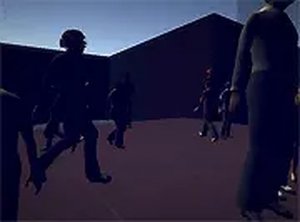
Most hidden object games let you click anything that looks out of place. Silhouette Puzzle Quest narrows that freedom: your character can only interact with items that appear inside her silhouette. That single restriction changes how each scene is read. Instead of scanning the whole picture for odd shapes, you first check what the silhouette currently contains, then decide whether to zoom, shift your view, or keep looking. The silhouette becomes a moving frame that defines what is reachable at any moment.
Zooming as the Main Tool
The mouse drives everything. You move across the scene and use the scroll wheel to zoom in and out. Zooming is not cosmetic; it is how concealed objects become visible. Small clues that blend into the background at default distance often separate from their surroundings once you move closer. Because zooming changes what falls inside the silhouette, the same scene can present different interactive options depending on how far in or out you are. Patience matters more than speed here.
Scene-by-Scene Progression
Each scene presents a fresh set of hidden elements to locate. There is no timer pressure described, and the tone is calm rather than competitive. Progress comes from finding every interactive element in a scene before moving on, which rewards careful examination over repeated guessing. The difficulty sits in concealment and placement rather than in complex controls, so the challenge scales with how well you observe, not with how fast you react.
Who It Suits
Players who enjoy hidden object games, brain teasers, or slow observation puzzles will find the silhouette constraint a genuine variation on the genre rather than a cosmetic gimmick. The game runs free in a browser with no download, and it is designed for desktop use with a mouse. Full-screen mode gives a wider view for spotting details. Sessions can be short or long, since nothing forces a pace.



Comments
0 comments