Building the Portal: Core Objective
Every level in Pixel Quest Adventure revolves around a single task: gather all the blocks scattered across a side-scrolling stage. Those blocks are the raw material for a portal, and the portal is your exit. You cannot advance until the collection is complete, which turns each level into a compact route-planning exercise rather than a simple race to the right edge of the screen.
Jumping, Stomping, and Timing
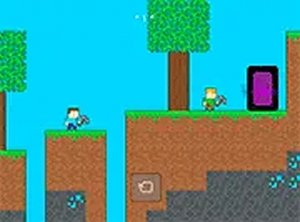
Movement is handled through on-screen controls on touchscreens or keyboard keys on desktop. Creatures patrol the platforms, and the primary way to deal with them is to land on top. That jump-on-top rule makes vertical positioning as important as horizontal progress. Traps and gaps punish mistimed jumps, so the game asks for steady precision instead of constant forward pressure. [IMG_1]
Retro Look and Quick Sessions
The pixel art leans into 8-bit arcade conventions, with bright colors and recognizable sprite work. Levels are designed to be finished in short sittings, which suits the browser format. There is no download step, and the game runs in full-screen mode for better visibility. Pass-and-play support lets friends take turns on the same device, turning a solo platformer into a shared activity.
Who It Suits
Because the mechanics stay simple and the content is family-friendly, Pixel Quest Adventure works well for casual players and anyone who grew up with classic arcade platformers. The challenge comes from timing and level familiarity rather than complex systems. Replaying earlier stages to sharpen your jumps is a practical way to improve before tackling later, more demanding layouts.






Comments
0 comments