Choosing a Mask Base
Every design starts with a decision: pick one mask base from the options shown on screen. That first choice sets the shape and structure you will work with, so it influences how the rest of your decoration will sit. There is no timer or score attached to this step, which keeps the focus on preference rather than performance.
Customizing with Digital Tools
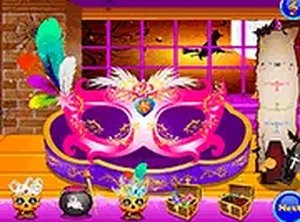
Once a base is selected, a set of painting tools becomes available. You can apply colors and patterns to different sections of the mask, then layer on stickers, glitter, and other decorative elements. Each tool targets a specific part of the design, so you can treat the mask as separate zones rather than one flat canvas. This makes it easy to build contrast, for example by keeping one area simple while another carries a bold pattern. [IMG_1]
Design Choices and Personal Style
The game supports both playful and dramatic looks, and the outcome depends entirely on how you combine the available elements. Mixing patterns with glitter, or pairing bright colors with quieter sections, changes the overall character of the mask. Because there is no correct result, experimentation is the main way to find a combination that feels right. The activity suits players who prefer open-ended creation over objectives and deadlines.
Access and Practical Details
Festive Mask Art Studio runs in a browser on computers and mobile devices, with no download or registration required. A full screen mode is available if you want fewer distractions while working. Finished masks can be saved or shared, which gives the design a purpose beyond the session itself. The controls are kept simple so players of all ages can navigate them without instruction. [IMG_2]




Comments
0 comments