Retro Platforming in Your Browser
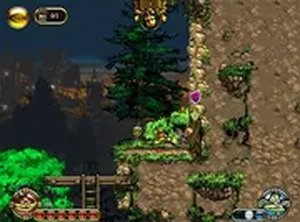
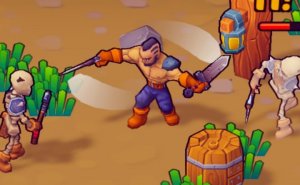
EmberWind Classic Platform Adventure is a side-scrolling platformer built for desktop web browsers. It draws on the design language of classic platformers: precise running and jumping, obstacle avoidance, and item collection. No download or installation is required, so the game starts quickly and runs directly in a browser tab. The pixel-art visuals reinforce the retro feel, and full-screen mode can be toggled for a larger view during play.
Core Actions and Level Navigation
Players move left or right and jump using keyboard inputs. Each level contains platforms, pits, and traps such as spikes that must be avoided. Enemies are overcome by jumping on them or by using special moves that may become available as the player advances. Coins and other items are scattered through each stage, and collecting them boosts the score. The moment-to-moment loop asks for careful timing and observation rather than speed alone.
Exploration and Increasing Challenge
Hidden treasures and secret areas reward players who explore beyond the obvious path. Levels increase in difficulty, introducing new arrangements of obstacles and requiring tighter timing. Because the challenge builds gradually, repeated attempts help players learn obstacle patterns and improve their jumps. The scoring system, based on collected items and obstacles overcome, gives a clear reason to revisit stages for better results.
Who This Suits
This game targets players who enjoy old-school platformers and nostalgic pixel graphics. Its browser-based format and simple keyboard controls make it accessible to a wide age range. Those who prefer methodical exploration and pattern learning will get the most from it, while players seeking fast, reflex-only action may find the pacing more deliberate.


Comments
0 comments