Building Paths With a Pen
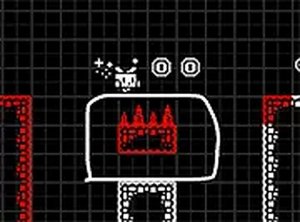
White Pen Road hands you two tools at once: a character who runs and jumps, and a mouse that draws solid lines in midair. Those lines become platforms and bridges. A gap that looks impossible to clear on foot can be solved by sketching a ledge at the right height, then jumping onto it. The level stops being a fixed obstacle course and starts behaving like a problem you can edit.
Controls and the Desktop Setup
Movement and jumping sit on the keyboard. Arrow keys or WASD handle left and right, and the spacebar jumps. Drawing is handled entirely by the mouse: click and drag to lay down a line, and it stays in place so you can stand or jump on it. Because the two input methods split across hands, the game runs best on a desktop or laptop with a keyboard and mouse rather than a touchscreen. Full-screen mode may be available if you want a wider view of the level.
Where the Thinking Happens
Drawing freely is easy; drawing usefully is the actual puzzle. A line placed too low wastes a jump, and one placed too high may be unreachable. Before committing ink, it helps to read the level layout, judge the distance to the next safe surface, and decide whether a single bridge or a short staircase of platforms is the better answer. Experimentation is cheap, so testing a rough idea often beats staring at the screen.
What Kind of Player It Suits
The mix of light platforming and open-ended drawing keeps the pace relaxed rather than frantic. There is no combat to manage and no timer pushing you forward, so the difficulty comes from spatial reasoning instead of reflexes. That makes it a reasonable pick for younger players, for families sharing a computer, or for anyone who wants a short creative break. Players chasing fast action may find the slower planning pace less exciting.





Comments
0 comments