World Design and Hazards
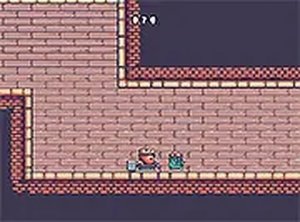
Thunderclash Quest: Puzzle Adventure splits its campaign into distinct worlds, each with its own visual theme and set of obstacles. Water pools and moving figures block the most direct routes, so progress depends on watching their timing before you commit to a jump. 
Controls and Tool Use
Movement is deliberately simple: go left or right, jump gaps, and trigger a special tool that clears certain obstacles or activates mechanisms. That tool is not optional decoration—it is the main problem-solving verb, and the game expects you to aim it at the right object while staying aware of patrols. Touch input works on mobile and keyboard input works on desktop, with immediate response so you can adjust mid-jump.

Progression and Scoring
Every stage ends at a marked exit door. Reaching it unlocks the next level, and the game tracks your progress across worlds. Gems scattered through each world feed your score; collecting all of them in a stage is optional, which means speed-focused players and completionists can approach the same level differently. There are no timers, so you can pause and plan without pressure.
Visual Style and Accessibility
Bright, uncluttered graphics keep hazards and collectibles easy to read at a glance, and each world uses a distinct color palette to signal a change in rules. The game runs in a web browser with no installation, and full-screen mode is available. The presentation stays family-friendly, with no mature themes or disturbing imagery.





Comments
0 comments