Knight Flight Arcade Classic
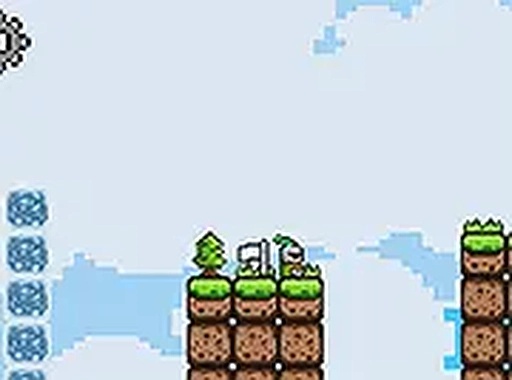
Knight Flight is a free 2D platformer game where you control a knight navigating obstacles. It features pixel art and simple controls, offering a relaxing challenge for players of all ages. Play directly in your browser.
Reviews
Clean pixel art and smooth controls. A relaxing platformer for short breaks.
About this game
Game Introduction
Knight Flight is a 2D platformer that casts you as a brave knight on a quest through pixelated worlds. The game embraces classic arcade sensibilities with straightforward level design and a nostalgic visual style reminiscent of early platformers. Your core objective is to guide the knight forward, leaping over gaps and avoiding hazards to reach each checkpoint. Designed for quick, satisfying sessions, it offers a pure skill-based challenge that respects your time and provides a fun, browser-based experience with no downloads required.
How to Play
Players typically control the knight using keyboard inputs: arrow keys or the A and D keys for left/right movement, and the spacebar or up arrow to jump. The goal is to navigate each level by jumping over obstacles and onto platforms, avoiding falls and hazards, and reaching designated checkpoints. The game is optimized for desktop play, so a keyboard or mouse is recommended. A full-screen mode is available for a more immersive view, accessible via a button in the game interface. Controls are simple and responsive, making it easy for anyone to start playing.
Game Features
Classic 2D platformer gameplay with pixel art graphics and smooth controls. Levels are designed to be clear and fair, offering a straightforward challenge. The game runs directly in your browser without any downloads, providing instant access. Full-screen mode is available for a better view. Controls are easy to learn and responsive, ensuring a smooth experience. The game is free to play and offers a quick, enjoyable session for fans of skill-based arcade games.
Tips for Success
Practice makes perfect – take time to learn the timing of jumps and the layout of each level. Focus on precision rather than speed; careful jumps are better than rushed ones. Observe hazards and gaps before moving, and plan your route. Use the full-screen mode to reduce distractions. If you get stuck, take a short break and return with fresh eyes. The game’s fair design means that with patience and practice, you can overcome each challenge.
Compatibility:
✅ Works on PC & Mobile | Recommended: Chrome / Safari / Edge