My Room Hidden Objects Puzzle
My Room Hidden Objects is a browser-based puzzle game where you find listed items in detailed room scenes. Play for free without downloads. It sharpens attention and offers a relaxing challenge for all ages.
Reviews
Clean, relaxing hidden object game with clear visuals. Great for quick brain breaks.
About this game
Game Introduction
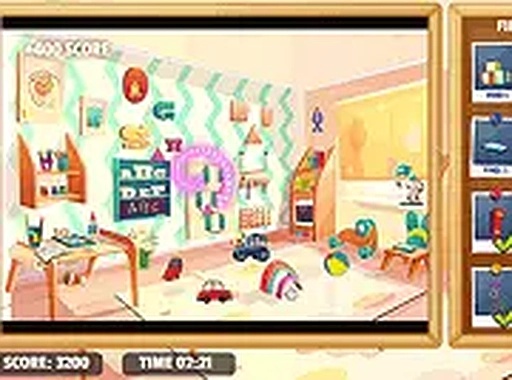
My Room Hidden Objects is a classic hidden object puzzle game that invites players to explore a series of cozy room scenes filled with everyday items. The core objective is to locate all objects shown on the left side of the screen before time runs out. Each level presents a fresh arrangement of items, encouraging careful scanning and quick thinking. The game is designed for all ages and runs directly in your browser, making it accessible on desktop and mobile devices without any downloads. Its intuitive interface and charming visuals create a calm yet engaging experience. Whether you have a few minutes or a longer break, this game offers a satisfying mental workout that improves your ability to notice details.
How to Play
To play, simply look at the item list on the left. Each entry includes a small image and name. Search the main picture and click any item you find. The game tracks your progress and shows which items remain. You have a limited time to complete each level. Finish early to earn bonus points that boost your final score. Controls work with mouse or touch, so you can play on any device. For a more focused view, switch to full-screen mode. There are no complex rules or tutorials. Just start searching and enjoy the process.
Game Features
Classic hidden object gameplay that tests your observation skills. A time-based bonus system rewards quick completion. Full-screen mode provides an immersive experience. Levels are varied with different room scenes and item sets. No downloads or installations are required for instant play. The game is free to play online and works on both desktop and mobile browsers.
Tips for Success
Scan the scene systematically from top to bottom or left to right to avoid missing items. Pay close attention to the small preview images on the left to know exactly what you are looking for. Practice regularly to improve your speed and accuracy. Use the full-screen mode to reduce distractions and see details more clearly. If you get stuck, take a short break and come back with fresh eyes.
Compatibility
💻 Desktop | 📱 Mobile | 📟 Tablet – All supported · Best with Chrome or Safari