Minesweeper Classic Puzzle Game
Minesweeper Classic Puzzle Game challenges your deduction skills. Clear the board by revealing safe squares and using number clues to locate hidden mines. Free and family-friendly.
Reviews
A classic logic puzzle that sharpens the mind with simple yet deep deduction mechanics. Perfect for quick mental exercise.
About this game
Game Introduction
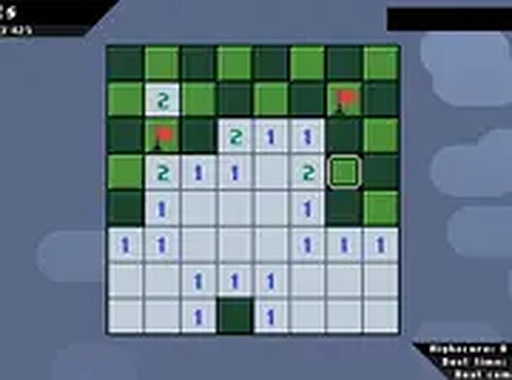
Minesweeper Classic Puzzle Game is a timeless logic puzzle that challenges players to clear a grid of squares without uncovering hidden mines. The objective is straightforward: reveal all safe squares while using numbered clues to deduce the locations of mines. Each number on a revealed square indicates how many mines are adjacent to that square, helping players plan their next moves. This classic game has been a favorite for decades, offering endless mental stimulation and rewarding gameplay. It is a family-friendly experience suitable for all ages, providing a clean and engaging challenge that requires careful thinking and strategy. Players can enjoy the game for free directly in their browser without any downloads. The game is known for its simple yet deep mechanics, making it accessible to newcomers while still offering a satisfying challenge for experienced players. The core appeal lies in the logical deduction required to succeed, as each move involves analyzing clues and making calculated decisions. Minesweeper Classic Puzzle Game is a perfect choice for anyone looking to exercise their mind in a safe and enjoyable environment.
How to Play
To play Minesweeper Classic Puzzle Game, players begin by clicking any square on the grid to reveal a number or an empty area. Numbers indicate how many mines are adjacent to that square. Players can use this information to mark squares they believe contain mines by placing flags. The goal is to uncover all safe squares without revealing any mines. If a player clicks on a mine, the game ends. Players must use logic to deduce where mines are hidden, planning each move carefully. The game is designed for desktop play with a mouse or keyboard for precise control. It is free to play and runs instantly in the browser, requiring no installation. The interface is simple and intuitive, allowing players to focus on the puzzle without distractions.
Game Features
Minesweeper Classic Puzzle Game offers a classic logic puzzle experience with numbered clues that guide player strategy. It includes a flagging system that allows players to mark suspected mine locations. The game is available for free in the browser with no download required. It features a family-friendly design that is safe for all ages. The grid-based layout provides a clean and focused gameplay environment. The game may include adjustable difficulty settings to suit different skill levels, though this is not guaranteed. The core features are centered around logical deduction and careful planning, making it an excellent choice for puzzle enthusiasts.
Tips for Success
Start by clicking in the center of the grid to maximize the area revealed. Use the numbers to identify safe squares and mark mines with flags. When confident a square is safe, click it to reveal more clues. Practice regularly to improve pattern recognition and speed. Remember that every move involves risk, so take your time and think carefully before clicking.