Lost Awakening Chapter 3 Escape Puzzle
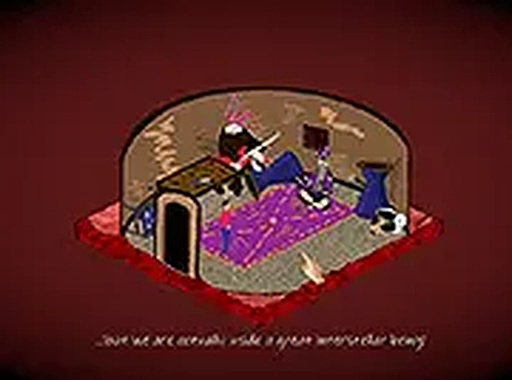
Lost Awakening Chapter 3 is a free online escape puzzle game. You wake up in a strange room with no memory. Explore, collect items, combine them, and solve puzzles to unlock doors and escape. It is family-friendly and requires no download.
Reviews
Clean design and smooth gameplay. Great for short breaks or puzzle practice.
About this game
Game Introduction
Lost Awakening Chapter 3 Escape Puzzle is the next installment in a series of escape room adventures. In this free online puzzle game, you find yourself in a mysterious room with no memory of how you arrived. Your goal is to explore your surroundings, collect useful items, and solve puzzles to unlock the exit. The game combines elements of adventure and puzzle-solving, offering a family-friendly experience that is safe for all ages. It is designed for desktop play and can be enjoyed without any downloads or registration.
How to Play
Players typically explore the room by clicking on objects to interact with them. Items such as keys, tools, and notes can be picked up and stored in an inventory. You may need to combine two or more items to create new tools—for example, attaching a string to a stick might form a useful device. Use combined items on doors, locks, or other objects to progress. Pay attention to clues in the environment, such as patterns or numbers, to solve puzzles. The game is played with a mouse on a computer, and you can switch to full-screen mode for a more immersive view.
Game Features
This puzzle game includes fun escape challenges that test your logic and creativity. Item combining mechanics encourage experimentation and creative thinking. The gameplay is family-friendly and suitable for all ages, with simple controls that require only a mouse. A full-screen mode is available for an enhanced experience. The game is free to play online, with no downloads or registration needed, making it easy to jump in and start solving puzzles immediately.
Tips for Success
Take your time to thoroughly explore every part of the room—clues and useful items are often hidden in plain sight. Keep an open mind when combining items; even unlikely pairings may lead to a solution. If you get stuck, try revisiting areas you’ve already searched, as new interactions may become possible. Pay close attention to any numbers, symbols, or patterns you find, as they are likely keys to unlocking puzzles. Finally, don’t be afraid to experiment—trial and error is a natural part of the escape room experience.
Compatibility
💻 Desktop | 📱 Mobile | 📟 Tablet – All supported · Best with Chrome or Safari