Creative Coloring Mechanics
Players select a color from the on-screen palette and click on any outlined area to fill it. The interface responds instantly, making each tap feel deliberate and satisfying. An eraser tool removes unwanted color, and a thickness slider adjusts the virtual pencil for fine details or broad strokes. This straightforward system keeps the focus on artistic choice rather than complex controls.
Visual Style and Character Design
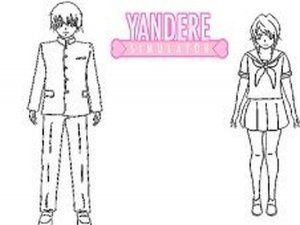
The coloring pages feature manga-style characters with clear, bold outlines and distinct sections for hair, clothing, and accessories. Each area invites thoughtful color selection, encouraging players to experiment with combinations. The clean line art ensures that even young users can easily see where each color belongs.
Tools for Precision and Flexibility
A small but effective set of tools supports different coloring approaches. The eraser corrects mistakes without restarting, and the adjustable pencil thickness allows for both tiny details and quick coverage of large spaces. These options give players control over their process without adding unnecessary complexity.
Preserving Your Work
Once a page is complete, players can save the finished image to their device. This feature lets them build a personal gallery of colored artwork, share it with family, or simply admire their progress. The save function works with a single click, making it easy for children to use independently.


Comments
0 comments