Retro Platforming Basics
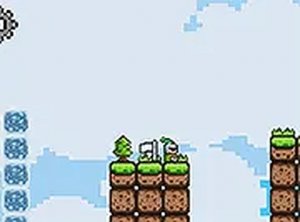
Knight Flight is a 2D platformer that casts you as a knight moving through pixelated stages. The objective in each level is straightforward: guide the knight forward, leap over gaps, and avoid hazards until you reach a checkpoint. The design echoes classic arcade platformers, with clear level layouts and a nostalgic visual style. [IMG_1]
Controls and Movement
You control the knight with keyboard inputs. Left and right movement use the arrow keys or the A and D keys. Jumping is handled by the spacebar or the up arrow. The controls are responsive and easy to learn, so you can start playing immediately without a lengthy tutorial. The game is optimized for desktop play, and a full-screen mode is available via a button in the interface for a more focused view.
Session Structure and Difficulty
Levels are built for quick, satisfying sessions. The challenge comes from timing your jumps and planning your route past hazards and gaps. Difficulty is fair rather than punishing: careful observation and precise inputs matter more than speed. Checkpoints let you track progress through each stage. Because the game runs in a browser with no downloads, you can jump in for a short break and leave without commitment.
Tips for Playing
Take a moment to study each level's layout before moving. Watch how hazards behave and where gaps require a well-timed jump. Precision beats rushing; a deliberate jump is safer than a hurried one. If a section gives you trouble, step away briefly and return with fresh focus. The game's straightforward design means patience and practice will carry you through.



Comments
0 comments